
Hole19 offers different game modes for solo rounds, games with friends, team play, and match play.
General Play is available to all golfers. Other game modes require a Premium or Intelligence subscription.
You can also add Side Games to any round for free.
How to Select a Game Mode
1. Open the Hole19 app.
2. On the Play Golf tab, find your course and tap Play Golf.
3. On Round Settings, tap Mode.
4. Choose the game mode you want to play.
5. Continue setting up your round and tap Create Round, then Start Round.
Available Game Modes
Team modes can be played as Stroke Play (count all strokes), Stableford (point-based), or Match Play (where you win or lose each hole instead). The mechanics of a mode stay the same either way, only how the score decides the winner changes.
Handicaps: Stableford is always scored net, so your points come from your score after handicap strokes. Stroke Play is scored on your actual strokes (gross), and your net score is calculated as well. In Match Play modes, turn Net Scoring on or off in Round Settings to apply handicaps or not. HCP Allowance sets what percentage of your handicap is used. For more detail, see Net vs Gross in Stroke Play and Stableford.
General Play
Each player plays their own ball and records their own score on every hole. This is the standard, most commonly used mode in Hole19, and it's the only one available to all golfers regardless of subscription.
Stroke Play / Stableford: Scores are totaled (or converted to points, for Stableford) across the whole round. The lowest total strokes, or highest points, wins.
Singles (Match Play)
Available with Premium and Intelligence.
A one-versus-one format. Instead of totaling strokes, you play hole by hole: whoever has the lowest score on a hole wins that hole. Example: Player A scores 4, Player B scores 5, Player A wins the hole. Whoever wins the most holes wins the match.
Better Ball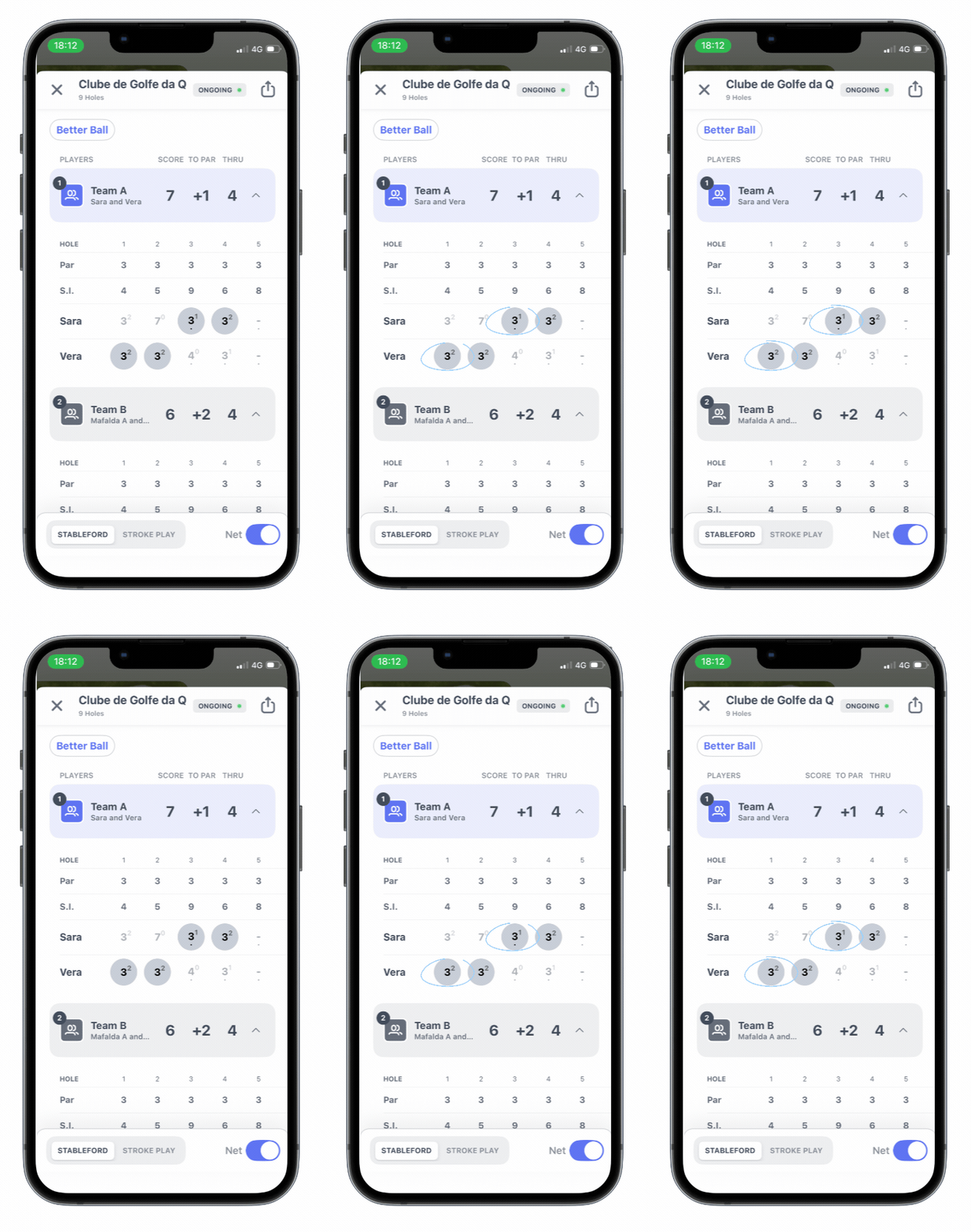
Available with Premium and Intelligence.
A team format with two players per team. Each player plays their own ball for the entire hole, and the best score between the two teammates becomes the team's result for that hole.
Stroke Play / Stableford: The best score per hole counts for the team. Strokes are totaled across the round, or converted to points for Stableford. Example: Player A scores 5, Player B scores 4, team score for the hole = 4.
Match Play: The same best-ball mechanic, but each hole is won, lost, or halved instead of totaled. Example: Team A records 4 and 6, Team B records 5 and 4, both teams' best score is 4, so the hole is halved. The team that wins the most holes wins the match.
This mode is ideal for:
- Friendly team competitions
- Pairs tournaments
- Players with different skill levels
Scramble
Available with Premium and Intelligence.
A team format where all players hit from the same spot. After every shot, the team picks the best ball position, everyone plays from there, and this repeats until the ball is holed.
Stroke Play / Stableford: The team records one shared score per hole, totaled across the round or converted to points for Stableford.
Match Play: The same format, but each hole is won, lost or halved based on which team holes out in fewer shots, instead of totaling scores across the round.
Scramble is popular because:
- It keeps the pace of play fast
- It is beginner-friendly
- Teams can recover from bad shots more easily
Alternate Shot
Available with Premium and Intelligence.
A team format where two players share one ball and take turns hitting it until the hole is completed (Player A tees off, Player B hits next, and so on).
Stroke Play / Stableford: The team records one shared score per hole, totaled across the round or converted to points for Stableford.
Match Play: The same alternating format, but each hole is won, lost or halved instead of totaled.
Side Games
Alongside your main game mode, you can add optional Side Games to a round for extra friendly competition, at no additional cost. Better Ball is both a game mode (Premium) and a free Side Game. Players can’t be added once the Side Game has started. To see how to set one up, read Better Ball Side Game.
Notes
-
Skip Scoring
Available within General Play, this lets you track GPS distances during your round without recording scores or stats.
-
Round Settings
You can’t change the game mode once the round has started. You can still switch between Stroke Play and Stableford: tap Quick Actions, then Settings, then Scoring Mode (called Scoring on Android).
The mode you select affects how scores are recorded and compared throughout the round.
Match Play modes are scored hole by hole, so the Stroke Play and Stableford switch doesn’t apply to them.
Comments